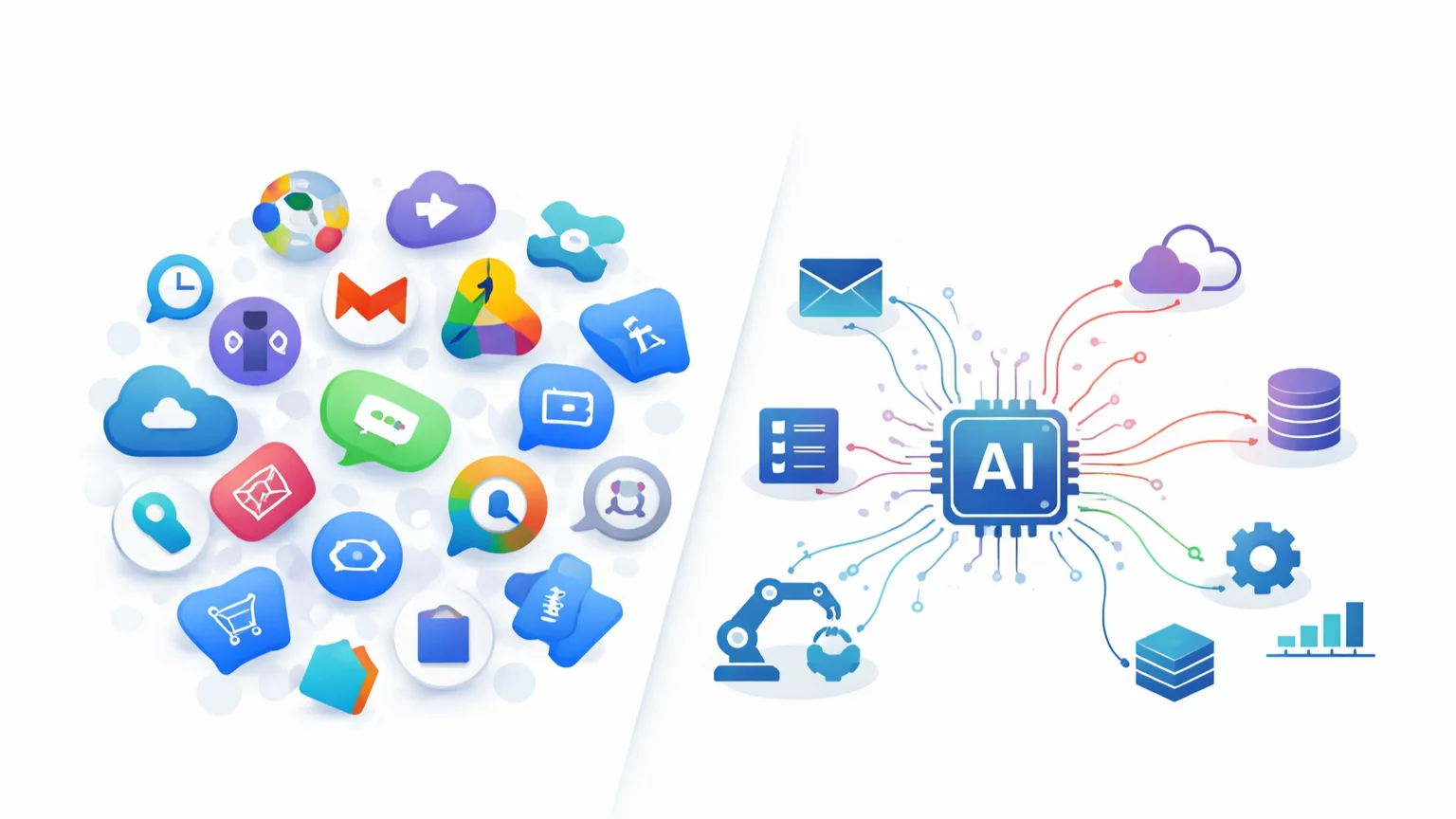

AI tools can now replace many expensive SaaS subscriptions—often delivering similar results at a fraction of the cost. By switching from single-purpose software to flexible AI systems, you can automate tasks like content creation, design, research, and customer communication while saving hundreds of dollars each month.
Most businesses are overpaying for SaaS.
Not because the tools are bad—but because they’re specialized. You pay $20 here, $50 there, $99 somewhere else… and suddenly you’re spending $300–$800/month on tools you only use partially.
AI changes that model completely.
Instead of paying for 10 different tools, you can use a small AI stack to handle multiple tasks—writing, research, automation, and even design. The result isn’t just cost savings. It’s simplicity.
But here’s the catch: not everything should be replaced.
In this guide, you’ll see exactly which SaaS tools you can replace with AI, how much you can realistically save, and where AI still falls short. No hype—just practical, real-world tradeoffs.
Why AI Is Replacing SaaS Tools
SaaS tools were built for a different era—one where each problem required its own dedicated software. One tool for writing. Another for design. Another for email. Another for automation.
That model worked. But it came with a hidden cost: fragmentation.
Today, most users are paying for features they barely use.
- $50/month for a tool you use once a week
- $99/month for advanced features you never touch
- Multiple tools doing overlapping tasks
This is where AI disrupts the entire system.
AI Is Multi-Purpose by Default
Unlike SaaS tools, AI isn’t limited to one function.
- One AI tool can write content, generate ideas, summarize research, and create scripts
- The same system can adapt to different tasks instantly
You’re no longer paying for features—you’re paying for capability.
Lower Cost, Higher Flexibility
Instead of stacking subscriptions, you can consolidate your toolkit.
- Replace multiple $20–$100 tools with a single AI subscription
- Use automation tools to extend functionality
This drastically reduces monthly costs while increasing what you can actually do.
Customization Beats Pre-Built Features
SaaS tools lock you into predefined workflows. AI gives you flexibility.
- Customize outputs with prompts
- Build your own workflows
- Adapt instantly to new needs
You’re not limited by what the tool was designed to do—you define how it works.
The Shift From Tools to Systems
The biggest change isn’t just cost—it’s how work gets done.
Instead of relying on separate tools, you build systems where AI handles multiple roles at once. Writing, research, automation, communication—all connected.
This is why SaaS isn’t disappearing—but it is being replaced in many areas where flexibility matters more than specialization.
What You Should NOT Replace with AI
AI can replace many SaaS tools—but not all of them. Trying to force AI into the wrong use cases often leads to poor results, wasted time, or even serious risks.
Before you start cutting subscriptions, it’s important to know where AI still falls short.
Mission-Critical Systems
If your business depends on reliability, don’t rush to replace core systems.
- Payment processors
- Accounting software
- Security and authentication systems
These tools require precision, compliance, and near-zero failure rates. AI is not built for that level of consistency yet.
Compliance and Legal Tools
AI can assist with legal or compliance tasks—but it shouldn’t replace dedicated systems.
- Legal documentation platforms
- Tax and compliance software
- Regulated industry tools
Mistakes in these areas can have serious consequences. AI-generated outputs should always be reviewed, not trusted blindly.
Highly Specialized Software
Some SaaS tools exist because the problem is too complex for general-purpose AI.
- Advanced analytics platforms
- Industry-specific tools (healthcare, engineering, finance)
- Enterprise-grade systems
AI can support these tools—but not fully replace them.
Real-Time, High-Accuracy Systems
AI struggles in environments where speed and accuracy must be perfect.
- Live trading systems
- Real-time monitoring tools
- Critical infrastructure dashboards
Delays, hallucinations, or incorrect outputs can create real problems.
When Stability Matters More Than Flexibility
AI is flexible—but that flexibility comes with variability.
- Outputs can change
- Results may not always be consistent
If your workflow depends on predictable, repeatable outcomes, traditional SaaS tools are still the better choice.
The goal isn’t to replace everything. It’s to replace what makes sense—while keeping systems that require reliability, precision, and stability.
10 SaaS Tools You Can Replace with AI
Here’s where AI delivers the biggest impact. Below are 10 common SaaS categories you can partially or fully replace using AI tools—along with realistic savings and trade-offs.
1. Copywriting Tools → AI Writing Models
- Replace: Jasper, Copy.ai (~$39–$99/month)
- With: ChatGPT, Claude (~$20/month)
- Estimated Savings: $20–$80/month
AI writing models can produce blog posts, ads, emails, and scripts with more flexibility than template-based tools.
Note: Requires better prompt design, but output quality is often higher.
—
2. SEO Content Tools → AI + Simple Workflow
- Replace: Surfer SEO, Writesonic (~$49–$119/month)
- With: AI + manual keyword research tools
- Estimated Savings: $30–$100/month
AI can handle content generation and optimization when paired with basic keyword data.
Note: Lacks built-in scoring systems, but offers more flexibility.
—
3. Customer Support Tools → AI Chatbots
- Replace: Intercom, Drift (~$50–$150/month)
- With: AI chatbot + automation tools
- Estimated Savings: $30–$120/month
AI can handle FAQs, onboarding, and basic support interactions automatically.
Note: Complex cases still require human support.
—
4. Social Media Tools → AI + Scheduler
- Replace: Hootsuite, Sprout Social (~$49–$99/month)
- With: AI for content + simple scheduling tools
- Estimated Savings: $20–$70/month
AI generates posts, captions, and ideas—while lightweight schedulers handle publishing.
Note: Advanced analytics may be limited.
—
5. Design Tools → AI Image Generators
- Replace: Canva Pro (~$12–$15/month)
- With: AI image generation tools
- Estimated Savings: $5–$15/month
AI can create visuals, thumbnails, and concepts instantly.
Note: Less control than drag-and-drop design tools.
—
6. Email Marketing Tools → AI + Automation
- Replace: Mailchimp, ConvertKit (~$20–$100/month)
- With: AI-generated emails + automation workflows
- Estimated Savings: $10–$80/month
AI can generate personalized email sequences and responses.
Note: Delivery infrastructure may still require basic SaaS tools.
—
7. Research Tools → AI Search Engines
- Replace: Paid research platforms (~$20–$100/month)
- With: AI-powered search and summarization
- Estimated Savings: $20–$80/month
AI can gather, summarize, and explain information faster than traditional tools.
Note: Always verify critical data.
—
8. Meeting Notes Tools → AI Transcription
- Replace: Otter, Fireflies (~$10–$30/month)
- With: AI transcription + summarization
- Estimated Savings: $5–$25/month
AI can record, transcribe, and summarize meetings automatically.
Note: Accuracy may vary depending on audio quality.
—
9. CRM (Basic Use) → AI + Spreadsheets
- Replace: HubSpot Starter (~$20–$50/month)
- With: AI + Google Sheets/Airtable
- Estimated Savings: $10–$40/month
For simple pipelines, AI can manage lead data and generate follow-ups.
Note: Not suitable for complex sales teams.
—
10. Productivity Tools → AI Assistants
- Replace: Notion AI, task managers (~$10–$30/month)
- With: AI assistants
- Estimated Savings: $5–$20/month
AI can manage tasks, summarize notes, and assist with planning.
Note: Some users may still prefer structured interfaces.
—
Total Potential Savings: $150–$500+/month depending on your stack.
The key isn’t replacing everything—it’s identifying where AI delivers similar value at a lower cost.
Real Monthly Cost Breakdown (Before vs After)
It’s easy to underestimate how much you’re spending on SaaS—until you map everything out.
Let’s look at a realistic example of a typical creator or small business stack before and after switching to AI.
Before: Traditional SaaS Stack
- Copywriting tool: $49/month
- SEO tool: $79/month
- Email marketing: $29/month
- Social media scheduler: $49/month
- Customer support tool: $79/month
- Design tool: $15/month
- Research tools: $30/month
- Meeting transcription: $15/month
Total: ~$345/month
And in many cases, users only utilize a fraction of each tool’s features.
—
After: AI-Based Stack
- AI model (ChatGPT / Claude): $20/month
- Automation tool (optional): $10–$20/month
- Scheduler / lightweight tools: $10–$20/month
Total: ~$40–$60/month
—
Estimated Savings
- Monthly savings: $280–$300+
- Yearly savings: $3,000–$3,600+
And in some setups, savings can go even higher—especially if you’re running multiple tools across teams.
—
What Changes (Beyond Cost)
This shift isn’t just about saving money—it changes how you work.
- Fewer tools to manage
- More flexibility across tasks
- Greater control over outputs
But there’s also a trade-off:
- More setup required
- Less plug-and-play convenience
You’re moving from pre-built tools… to building your own system.
For many users, that trade-off is worth it. For others, a hybrid approach works better—which we’ll cover next.
Best AI Stack to Replace Most SaaS Tools
You don’t need dozens of tools to replace your SaaS stack. In most cases, a simple combination of 3–4 tools can handle the majority of tasks.
The goal is not complexity—it’s coverage.
1. AI Model (Core Engine)
This is your primary tool. It handles writing, research, planning, and decision-making.
- Use for: content creation, emails, summaries, strategy
- Examples: ChatGPT, Claude
This single layer replaces multiple SaaS tools on its own.
2. Automation Tool (Connection Layer)
This connects everything and allows your system to run automatically.
- Use for: triggers, workflows, integrations
- Examples: Zapier, Make
This is what turns AI from a tool into a system.
3. Data & Storage (System Memory)
You need a place to store inputs, outputs, and structured data.
- Use for: tracking, databases, workflows
- Examples: Google Sheets, Airtable, Notion
This acts as the central hub for your operations.
4. Output Tools (Execution Layer)
This is where results are delivered.
- Use for: publishing, sending, distributing
- Examples: WordPress, email platforms, schedulers
These tools ensure your workflow produces real-world outcomes.
—
Simple Example Stack
- ChatGPT → generates content
- Google Sheets → stores data
- Zapier → connects steps
- WordPress → publishes content
This setup alone can replace multiple SaaS tools while keeping your system simple and scalable.
—
The mistake most people make is overbuilding. You don’t need a complex stack—you need a functional one.
Start small, cover your core needs, and expand only when necessary.
Limitations of Replacing SaaS with AI
Replacing SaaS with AI can save money—but it’s not a perfect swap. If you expect AI to fully replicate every feature of traditional tools, you’ll run into problems quickly.
Here are the key limitations you need to understand:
Less Plug-and-Play Convenience
SaaS tools are designed to work out of the box. AI isn’t.
- SaaS: ready-made features
- AI: requires prompts, setup, and testing
You’re trading convenience for flexibility.
Inconsistent Outputs
AI doesn’t always produce the same result twice.
- Outputs can vary
- Quality depends on prompts
- Requires refinement
This makes AI less predictable than traditional tools.
No Built-In Structure
SaaS tools provide structured workflows. AI gives you a blank canvas.
- No predefined dashboards
- No fixed systems
- You build everything yourself
This is powerful—but also more demanding.
Learning Curve
Using AI effectively requires new skills.
- Prompt design
- System thinking
- Tool integration
Without these, results will be average at best.
Reliability and Accuracy
AI can make mistakes.
- Incorrect data
- Hallucinations
- Misinterpretation of tasks
For critical tasks, human review is still necessary.
Hidden Costs (Time & Setup)
While AI reduces subscription costs, it can increase setup time.
- Building workflows
- Testing outputs
- Maintaining systems
In many cases, you’re trading money for time and control.
The key is balance. AI works best when used strategically—not as a complete replacement for everything.
When to Use SaaS + AI Together (Hybrid Model)
The smartest approach isn’t replacing SaaS completely—it’s combining SaaS and AI into a hybrid system.
This gives you the best of both worlds: structure from SaaS + flexibility from AI.
Use SaaS for Infrastructure
SaaS tools still excel at handling stable, structured systems.
- Email delivery platforms
- CRM systems for managing pipelines
- Publishing and scheduling tools
These tools provide reliability, dashboards, and built-in processes that AI doesn’t offer by default.
Use AI for Intelligence and Execution
AI adds the layer that most SaaS tools lack—adaptability.
- Generate content and messaging
- Analyze data and suggest actions
- Personalize communication at scale
This turns static tools into dynamic systems.
Example: Hybrid Content System
- AI → generates blog content and ideas
- SaaS CMS → publishes and manages posts
- Scheduler → distributes content
Instead of replacing everything, AI enhances what already works.
Example: Hybrid Sales System
- AI → writes personalized outreach
- CRM → tracks leads and deals
- Email platform → handles delivery
This setup keeps structure intact while improving efficiency.
Why Hybrid Systems Win
- More reliable than AI-only setups
- More flexible than SaaS-only stacks
- Easier to scale over time
In most real-world scenarios, the goal isn’t elimination—it’s optimization.
Replace what’s inefficient. Keep what’s reliable. And use AI to connect everything into a smarter system.
FAQ: Replacing SaaS with AI Tools
Can AI replace SaaS tools completely?
No. AI can replace many tasks handled by SaaS tools, but not all. Critical systems like payments, compliance, and complex enterprise tools still require dedicated software.
Is it cheaper to use AI instead of SaaS?
In many cases, yes. AI tools can replace multiple SaaS subscriptions, reducing costs significantly. However, there may be trade-offs in setup time and consistency.
What SaaS tools cannot be replaced by AI?
Tools that require high accuracy, compliance, or real-time reliability—such as accounting systems, payment processors, and security platforms—are not suitable for full replacement.
Are AI tools reliable for business use?
AI tools are useful for many business tasks, but they are not fully reliable on their own. Human oversight is still necessary to ensure accuracy and quality.
How much can you save using AI instead of SaaS?
Depending on your setup, you can save anywhere from $100 to $500+ per month by replacing multiple SaaS tools with a streamlined AI stack.