
AI agents are intelligent systems that can think, make decisions, and take actions to complete tasks automatically. Unlike traditional automation, which follows fixed steps, AI agents analyze goals, adapt to new information, and choose the best path to achieve an outcome—often without constant human input.
This is where automation changes completely.
Most AI tools help you do tasks faster. AI workflows connect those tools into systems. But AI agents go one step further—they don’t just follow instructions, they decide what to do next.
Imagine giving a system a goal like “generate leads” or “publish content consistently.” Instead of building every step manually, an AI agent can plan actions, use tools, adjust based on results, and keep improving over time.
In this guide, you’ll learn exactly how AI agents work, how they differ from workflows, and how to start using them to automate real tasks—not just assist them.
What Are AI Agents? (Simple Explanation)
An AI agent is a system that can understand a goal, make decisions, and take actions to achieve that goal—without needing step-by-step instructions for every task.
Instead of telling it exactly what to do, you give it an objective. The agent figures out how to get there.
Here’s a simple way to understand the difference:
- AI tool = does one task when you ask (like writing a paragraph)
- AI workflow = follows a fixed sequence of steps (like a production line)
- AI agent = decides what steps to take based on the goal (like a problem-solver)
Think of it like hiring:
- A tool is a freelancer—you give specific instructions
- A workflow is a checklist—it follows predefined steps
- An AI agent is an employee—you give a goal, and it figures out how to achieve it
For example, instead of manually creating a content pipeline, you could give an AI agent a goal like “grow blog traffic.” The agent can research topics, generate content, optimize it, and even adjust strategy based on performance.
This ability to plan, act, and adapt is what makes AI agents fundamentally different from anything before them.
AI Agents vs AI Workflows (Key Differences)
AI agents and AI workflows may seem similar, but they operate in fundamentally different ways. Understanding this difference is what separates basic automation from truly intelligent systems.
The simplest way to think about it: workflows follow instructions, agents make decisions.
Structure: Fixed vs Dynamic
AI workflows are structured and predictable. Every step is predefined.
- Step 1 → Step 2 → Step 3
- No deviation from the sequence
AI agents, on the other hand, are dynamic.
- They decide what steps to take
- They can skip, repeat, or change actions
This makes agents far more flexible—but also more complex.
Logic: Rules vs Decision-Making
Workflows rely on rules. If X happens, then do Y.
Agents rely on reasoning.
- Analyze the situation
- Evaluate options
- Choose the best action
This allows agents to handle unpredictable or changing environments.
Use Case: Repetition vs Problem-Solving
Workflows are ideal for repetitive, well-defined tasks:
- Publishing content
- Sending emails
- Moving data between tools
Agents are better for open-ended tasks:
- Researching complex topics
- Managing campaigns
- Optimizing strategies
Control: High vs Adaptive
With workflows, you have full control. Every step is predictable.
With agents, control is more flexible.
- You define the goal
- The agent decides how to achieve it
This can lead to better outcomes—but requires monitoring.
In practice, the most powerful systems combine both. Workflows handle structured tasks, while agents handle decision-making and adaptation.
That’s where real leverage happens.
How AI Agents Work (Behind the Scenes)
AI agents may seem complex, but their core logic is surprisingly simple. At a high level, every agent follows a loop: understand the goal → decide what to do → take action → evaluate the result → repeat.
This continuous loop is what allows agents to adapt and improve instead of just following fixed instructions.
Goals and Objectives
Everything starts with a goal.
- “Generate leads for my business”
- “Research and summarize a topic”
- “Create and publish content regularly”
Unlike workflows, you don’t define every step. You define the outcome, and the agent works toward it.
Memory and Context
AI agents use memory to keep track of what’s happening.
- Past actions
- Previous results
- Relevant data or context
This allows the agent to make better decisions over time instead of starting from scratch each time.
Decision-Making Loop
This is the core of an AI agent.
- Analyze the current situation
- Determine the next best action
- Execute that action
- Review the outcome
If the result isn’t good enough, the agent adjusts and tries again. This loop continues until the goal is achieved—or a stopping condition is met.
Tool Usage (Actions & Integrations)
AI agents don’t just think—they act using tools.
- Search engines for research
- APIs for data access
- Automation tools for execution
- Software platforms (email, CMS, CRM)
These tools extend what the agent can do in the real world. Without them, an agent is limited to generating text. With them, it can perform real tasks.
Put together, these components create a system that doesn’t just respond—it operates. That’s what makes AI agents fundamentally different from traditional automation.
5 Real AI Agent Use Cases (Practical Examples)
Understanding AI agents is one thing. Seeing what they actually do is where it clicks. Below are five real-world use cases that show how agents move beyond simple automation and start handling complex tasks independently.
1. Autonomous Content Creation Agent
This agent manages the entire content lifecycle without predefined steps.
- Identifies trending topics or keywords
- Plans content strategy
- Generates articles or scripts
- Optimizes content for SEO
- Publishes and updates based on performance
Instead of running a fixed workflow, the agent adapts. If a topic underperforms, it pivots. If something works, it doubles down.
2. AI Sales & Outreach Agent
This agent continuously finds and engages potential customers.
- Searches for new leads from multiple sources
- Analyzes relevance and intent
- Writes personalized outreach messages
- Follows up based on responses
It doesn’t just send emails—it adjusts messaging based on behavior, improving results over time.
3. AI Research Agent
This agent gathers, analyzes, and synthesizes information automatically.
- Searches across multiple sources
- Filters relevant data
- Summarizes key insights
- Updates findings as new information appears
This is especially powerful for analysts, creators, and decision-makers who need fast, reliable insights.
4. AI Customer Support Agent
This agent handles user interactions dynamically—not just scripted replies.
- Understands customer queries
- Accesses knowledge bases or databases
- Provides contextual answers
- Escalates complex issues when needed
Over time, it improves responses based on previous interactions and outcomes.
5. AI Task Execution Agent
This is a general-purpose agent that completes multi-step tasks independently.
- Breaks down a goal into smaller actions
- Selects tools to execute each step
- Monitors progress and adjusts as needed
- Completes tasks without constant supervision
For example, you could assign a task like “prepare a weekly report,” and the agent gathers data, analyzes it, and delivers the final output.
These examples highlight the real shift: AI agents don’t just assist—they operate. And the more complex the task, the more valuable they become.
Best AI Agent Tools You Can Use Today
AI agents are still evolving, but there are already powerful tools you can use—whether you’re a beginner or building advanced systems. The key is choosing tools based on your level and use case.
Beginner-Friendly AI Agent Tools (No-Code)
These tools let you create simple agents without programming.
- AutoGPT (simplified versions) – early-stage autonomous agents for task execution
- AgentGPT – browser-based tool to run goal-driven agents
- Zapier AI Agents – combines automation with AI decision-making
These are ideal if you want to experiment with agents without dealing with technical setup.
Intermediate Tools (Low-Code / Flexible)
These platforms offer more control while staying accessible.
- Flowise – visual builder for AI agents and LLM chains
- LangFlow – drag-and-drop interface for agent logic
- Make + AI integrations – hybrid workflows with agent-like behavior
This level is where most practical business use cases start to emerge.
Advanced AI Agent Frameworks (Developer Level)
These tools give full control over agent behavior and architecture.
- LangChain – framework for building complex agent systems
- AutoGen – multi-agent collaboration systems
- CrewAI – role-based multi-agent workflows
These are powerful, but require technical knowledge to use effectively.
Local & Open-Source Agent Setups
For privacy or customization, you can run agents locally.
- Ollama + agent frameworks – run models locally with agent logic
- LM Studio – local LLM environment for experimentation
This approach gives you full control, but requires more setup and resources.
The important thing to understand is this: tools don’t make an agent powerful—design does. Even simple tools can create effective agents if the logic and goals are clear.
How to Build Your First AI Agent (Step-by-Step)
Building an AI agent is less about tools and more about structure. You’re not designing a fixed process—you’re creating a system that can think, decide, and act toward a goal.
Here’s a simple framework to get started:
Step 1: Define a Clear Goal
Start with a specific objective. Avoid vague instructions.
- Bad: “Do marketing”
- Good: “Find 20 qualified leads and send personalized outreach emails”
The clearer the goal, the better the agent performs.
Step 2: Choose the Right Tools
Your agent needs tools to take action.
- AI model (for reasoning and generation)
- Data source (CRM, database, or spreadsheet)
- Execution tools (email, CMS, APIs)
These tools define what your agent is capable of doing in the real world.
Step 3: Set Instructions and Constraints
This is where you shape the agent’s behavior.
- Define how it should approach tasks
- Set boundaries (what it should and shouldn’t do)
- Provide examples or guidelines
Think of this as training—not programming.
Step 4: Add Memory and Context
To improve decision-making, your agent needs context.
- Store past actions and results
- Track progress toward the goal
- Reference previous interactions
This allows the agent to adapt instead of repeating the same actions blindly.
Step 5: Create the Decision Loop
This is what turns your setup into an actual agent.
- Analyze the current state
- Decide the next action
- Execute using available tools
- Evaluate the result
- Repeat until the goal is achieved
This loop is the core of autonomy.
Step 6: Test and Refine
Your first version will not be perfect—and that’s normal.
- Monitor decisions and outputs
- Adjust instructions and constraints
- Improve reliability step by step
Over time, your agent becomes more accurate, efficient, and capable of handling complex tasks.
The goal isn’t to build a perfect agent immediately. It’s to create a working system that can improve—and eventually operate with minimal supervision.
When to Use AI Agents vs Workflows
Choosing between AI agents and workflows isn’t about which is better—it’s about which fits the task.
Use the wrong system, and you either overcomplicate things or limit what’s possible.
Use AI Workflows When Tasks Are Predictable
Workflows are ideal when the process is clear and repeatable.
- Publishing blog content
- Sending scheduled emails
- Moving data between tools
In these cases, you already know every step. You just need to automate execution.
Workflows are:
- Faster to build
- Easier to control
- More reliable for repetitive tasks
Use AI Agents When Tasks Require Decisions
Agents are better when the path to the goal isn’t fixed.
- Researching complex topics
- Optimizing marketing strategies
- Handling dynamic customer interactions
Here, the system needs to think, adapt, and choose actions based on changing conditions.
Agents are:
- Flexible and adaptive
- Capable of handling uncertainty
- Better for open-ended problems
A Simple Decision Framework
Ask yourself one question:
“Do I know every step required to complete this task?”
- If yes → use a workflow
- If no → use an AI agent
This single question eliminates most confusion.
The Hybrid Approach (Most Powerful)
In practice, the best systems combine both.
- Agents handle decision-making
- Workflows handle execution
For example, an AI agent might decide what content to create, while a workflow handles writing, publishing, and distribution.
This hybrid model gives you both control and flexibility—turning simple automation into intelligent systems.
Limitations of AI Agents (What They Can’t Do Yet)
AI agents are powerful, but they’re not perfect. Understanding their limitations is what separates effective users from frustrated ones.
Here’s where AI agents still fall short:
Unreliable Decision-Making
AI agents can make decisions—but not always the right ones.
- They may misinterpret goals
- Choose inefficient actions
- Miss important context
This is especially risky in complex or high-stakes tasks.
Hallucinations and Errors
Like all AI systems, agents can generate incorrect or fabricated information.
- Inaccurate data
- False assumptions
- Confident but wrong outputs
Without validation, these errors can go unnoticed and compound over time.
Lack of True Understanding
AI agents simulate reasoning—they don’t truly understand context like humans do.
- Limited common sense
- Difficulty with nuance
- Weak judgment in unfamiliar scenarios
This can lead to decisions that technically make sense—but fail in real-world situations.
Tool Dependency
Agents are only as capable as the tools they can access.
- No access = no action
- Limited integrations restrict functionality
Without proper tool connections, an agent’s abilities are severely limited.
Cost and Resource Usage
Running AI agents—especially continuously—can become expensive.
- API usage costs
- Compute requirements
- Scaling challenges
More autonomy often means higher resource consumption.
Need for Oversight
Fully autonomous systems still require human supervision.
- Monitor outputs and decisions
- Set boundaries and constraints
- Handle edge cases
At this stage, AI agents work best as semi-autonomous systems—not fully independent replacements.
Understanding these limitations helps you use AI agents effectively. Instead of expecting perfection, you design systems that account for weaknesses and maximize strengths.
Future of AI Agents (Autonomous Systems & Businesses)
AI agents today are just the early version of something much bigger. What we’re moving toward isn’t just smarter automation—it’s fully autonomous systems that can operate entire processes, and eventually, entire businesses.
Multi-Agent Systems
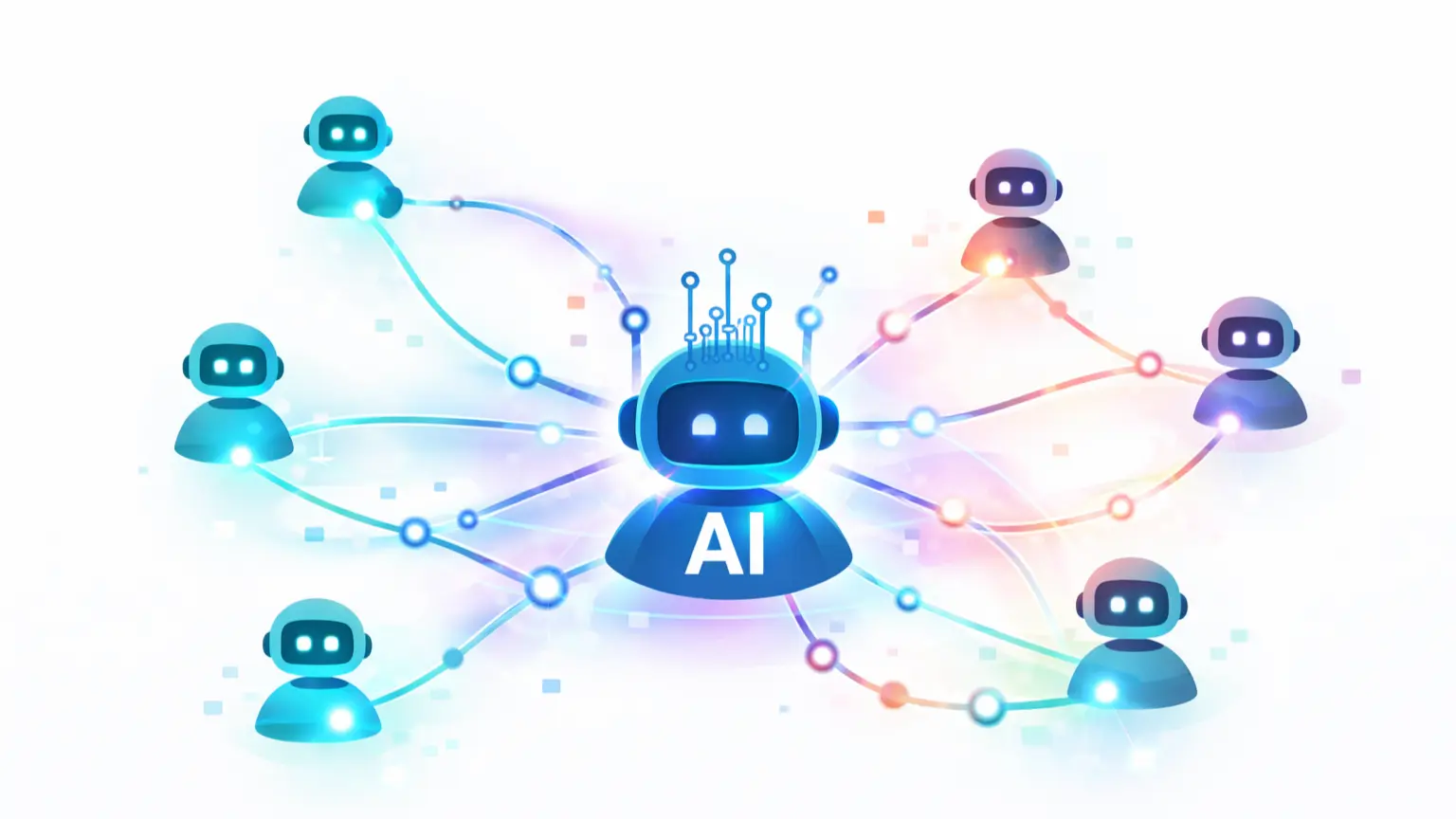
Instead of a single agent handling everything, future systems will use multiple specialized agents working together.
- One agent handles research
- Another creates content
- Another analyzes performance
- Another executes actions
Each agent has a role, and together they form a coordinated system—similar to a team inside a company.
Self-Improving Agents
Future agents won’t just execute tasks—they’ll improve themselves.
- Analyze outcomes (traffic, conversions, engagement)
- Adjust strategies automatically
- Optimize performance over time
This creates systems that don’t just run—they evolve.
Autonomous Business Operations
The long-term shift is toward businesses powered by AI agents.
- Content creation and distribution
- Customer support and communication
- Lead generation and sales outreach
Human involvement becomes strategic rather than operational. You define direction, while agents handle execution.
From Tools to Systems
The biggest shift isn’t technological—it’s conceptual.
We’re moving from using tools… to managing systems.
Those who understand this early will build systems that scale faster, adapt quicker, and operate with less effort. Over time, these systems become a competitive advantage that’s difficult to replicate.
AI agents are not just another tool category. They represent a new way of working—where systems think, act, and improve alongside you.
FAQ: AI Agents
What is an AI agent?
An AI agent is a system that can understand a goal, make decisions, and take actions to achieve that goal automatically. Unlike traditional automation, it adapts and chooses steps dynamically.
Are AI agents better than workflows?
Not necessarily. Workflows are better for predictable tasks, while AI agents are more suitable for complex, decision-based tasks. The best systems often combine both.
Do AI agents require coding?
No. Many tools allow you to build AI agents without coding. However, advanced agents with custom logic may require programming knowledge.
What are examples of AI agents?
Examples include autonomous content creators, AI research assistants, customer support agents, and sales outreach systems that adapt based on user behavior.
Can AI agents run a business?
AI agents can automate many parts of a business, but full autonomy still requires human oversight for strategy, quality control, and decision-making.