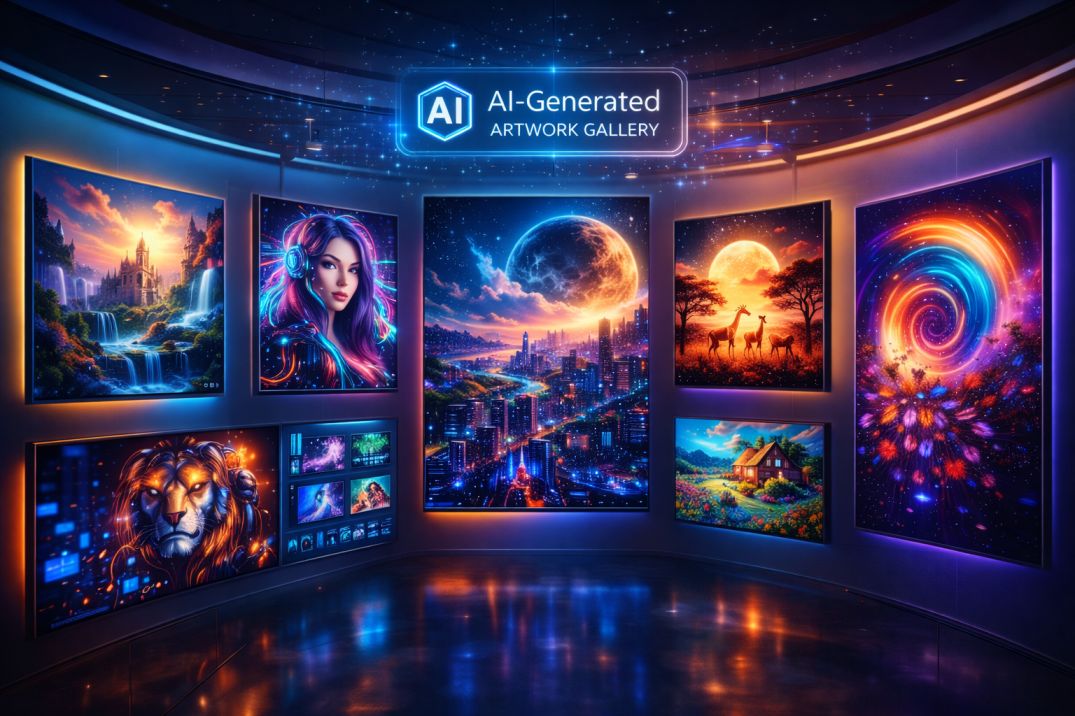

AI image generators can create stunning visuals in seconds—from realistic photos to cinematic art—without requiring design skills. In 2026, creators, marketers, and businesses are no longer designing everything manually—they’re generating visuals with AI.
Creating high-quality images used to take time.
Design tools. Editing skills. Hours of work.
Now, it takes minutes.
AI changes the entire creative process.
With the right tools, you can turn simple text prompts into professional visuals, generate multiple variations instantly, and scale your content creation without hiring designers.
This isn’t about replacing creativity—it’s about unlocking it.
In this updated guide, you’ll discover the best AI image generators in 2026—organized by real use cases like realistic images, artistic visuals, marketing content, and advanced customization—plus how to use them in a complete workflow.
What Are AI Image Generators?
AI image generators are tools that use artificial intelligence to create images from text prompts or reference inputs. These tools are typically powered by diffusion or generative models trained on millions of images.
Instead of manually designing visuals, users can describe what they want—and the AI generates it instantly.
What AI Image Generators Actually Do
Modern AI image tools can handle different types of visual creation:
- Text-to-image generation: Turn prompts into visuals
- Image editing: Modify or enhance existing images
- Style transformation: Apply artistic styles
- Variations: Generate multiple versions of the same idea
Each tool offers different strengths depending on your creative needs.
Examples of Popular AI Image Generators
- Midjourney → artistic and cinematic visuals
- DALL·E → realistic and creative images
- Stable Diffusion → full customization and control
- Adobe Firefly → commercial-safe design generation
These tools don’t replace designers—they expand what’s possible with less effort.
The Real Advantage
The biggest benefit of AI image generators is speed and flexibility.
- Create visuals instantly
- Generate multiple ideas quickly
- Reduce design costs
- Experiment with creativity
This allows creators and businesses to produce more content without traditional limitations.
Why AI Image Generators Are Exploding
AI image generation has grown rapidly—not because it’s new, but because it solves a major problem: creating high-quality visuals quickly.
The way people create images is changing.
Content Demand Is Higher Than Ever
Today, visuals are everywhere:
- Social media posts
- Thumbnails and ads
- Blog graphics
- Brand visuals
Creating all of this manually is time-consuming and expensive.
AI makes it possible to generate visuals at scale.
—
Speed Is a Competitive Advantage
In content and marketing, speed matters.
- Faster content = more visibility
- More visuals = better engagement
- Quick iteration = better results
AI image tools allow creators to move faster than ever before.
—
No Design Skills Required
Traditional design tools require experience.
- Photoshop
- Illustrator
- Advanced editing skills
AI removes this barrier.
Anyone can create professional visuals using simple text prompts.
—
Unlimited Creative Possibilities
AI enables experimentation.
- Generate multiple styles instantly
- Try different concepts quickly
- Create visuals that didn’t exist before
This unlocks creativity at a new level.
—
From Manual Design to Creative Systems
The biggest shift is not just speed—it’s workflow.
- Idea → Prompt → Image → Refine
Instead of designing from scratch, creators guide AI to generate results.
This turns visual creation into a scalable system.
—
The Real Shift: Creative Leverage
AI gives creators and businesses leverage.
- More visuals with less effort
- Faster production cycles
- Lower design costs
Those who adopt AI tools can create more, test more, and grow faster.
10 Best AI Image Generators (By Use Case)
Not all AI image generators are built the same. The best tools specialize in different types of visuals—realistic images, artistic styles, marketing content, or advanced customization.
1. Midjourney – Artistic & Cinematic Images
Best for: Art, fantasy, cinematic visuals
Midjourney is known for producing highly detailed and artistic images with unique styles.
Why it stands out: Exceptional creativity and visual quality.
—
2. DALL·E – Realistic & Creative Images
Best for: Realistic visuals and concept images
DALL·E generates detailed images from text prompts and allows editing and variations.
Why it stands out: Strong prompt understanding and ease of use.
—
3. Leonardo AI – Game Assets & Design
Best for: Game development and illustration
Leonardo AI offers fine-tuned models for specific styles and asset creation.
Why it stands out: High customization for creative workflows.
—
4. Stable Diffusion – Advanced Control & Customization
Best for: Developers and advanced users
Stable Diffusion is open-source and allows full control over image generation.
Why it stands out: Maximum flexibility and customization.
—
5. Adobe Firefly – Commercial & Branding Visuals
Best for: Business and commercial use
Adobe Firefly focuses on copyright-safe image generation and integrates with Adobe tools.
Why it stands out: Safe for commercial projects.
—
6. Canva AI Image Generator – Simple Marketing Visuals
Best for: Social media and quick designs
Canva AI makes it easy to create visuals without design experience.
Why it stands out: Beginner-friendly and fast.
—
7. Playground AI – Fast Image Generation
Best for: Quick experimentation
Playground AI allows users to generate and edit images quickly with simple controls.
Why it stands out: Speed and ease of use.
—
8. NightCafe – AI Art & Community Creations
Best for: Creative exploration and art
NightCafe offers multiple AI models and a strong community for sharing creations.
Why it stands out: Variety of styles and community engagement.
—
9. Runway ML – AI Video & Image Creation
Best for: Multimedia content creation
Runway ML combines image and video AI tools for advanced creative projects.
Why it stands out: Expands beyond images into video.
—
10. Deep Dream Generator – Unique Artistic Effects
Best for: Experimental and abstract art
Deep Dream Generator creates surreal and unique visual styles.
Why it stands out: Distinct artistic output.
—
Pro tip: You don’t need all these tools. Choose 1–3 tools based on your goal—art, marketing, or design—and build your workflow around them.
AI Image Generator Comparison Table
Choosing the right AI image generator depends on your goals, skill level, and type of content you want to create. Here’s a quick comparison to help you decide.
| Tool | Best For | Ease of Use | Creative Control | Output Style |
|---|---|---|---|---|
| Midjourney | Artistic visuals | Medium | High | Cinematic, stylized |
| DALL·E | Realistic images | High | Medium | Realistic, creative |
| Leonardo AI | Game assets | Medium | High | Illustrations, assets |
| Stable Diffusion | Full customization | Low | Very High | Any style (custom) |
| Adobe Firefly | Commercial design | High | Medium | Brand-safe visuals |
| Canva AI | Marketing visuals | Very High | Low | Simple, clean |
| Runway ML | Video + image | Medium | High | Multimedia |
| NightCafe | Creative art | High | Medium | Artistic styles |
| Playground AI | Quick generation | High | Medium | Mixed styles |
| Deep Dream | Abstract art | Medium | High | Surreal visuals |
Quick takeaway:
- For beginners → Canva AI, DALL·E
- For artists → Midjourney, Leonardo AI
- For advanced users → Stable Diffusion
- For business → Adobe Firefly
Best AI Image Workflow (Prompt → Image → Refinement)
Using AI image generators effectively isn’t just about typing random prompts—it’s about building a repeatable workflow.
The best creators follow a simple system to get consistent, high-quality results.
Step 1: Start With a Clear Idea
Before generating an image, define what you want:
- Type of image (realistic, artistic, marketing)
- Subject (person, product, scene)
- Style (cinematic, minimal, futuristic)
A clear idea leads to better prompts.
—
Step 2: Write a Strong Prompt
Your prompt determines the output quality.
A good prompt includes:
- Subject → what the image is about
- Details → colors, lighting, environment
- Style → artistic direction
Example:
- Basic: “A cat”
- Advanced: “A cinematic photo of a black cat sitting on a neon-lit street at night, ultra-realistic, 4K lighting”
More detail = better results.
—
Step 3: Generate Multiple Variations
Don’t rely on one output.
- Generate multiple versions
- Compare results
- Select the best option
This increases your chances of getting high-quality visuals.
—
Step 4: Refine and Improve
AI generation is iterative.
- Adjust prompts
- Change styles
- Improve details
Each iteration improves the result.
—
Step 5: Edit and Customize
After generating the image, refine it further:
- Use tools like DALL·E for editing
- Enhance with Canva or design tools
- Adjust colors, layout, or branding
This turns AI outputs into polished final visuals.
—
Step 6: Use Images in Your Content System
Integrate AI-generated images into your workflow:
- Blog visuals
- Social media posts
- Ads and marketing content
This transforms image generation into a scalable system.
—
The Key Insight
AI image generation is not a one-step process—it’s a system of iteration and refinement.
Creators who follow this workflow produce better visuals consistently.
How to Choose the Right AI Image Generator
With so many AI image generators available, the challenge isn’t finding tools—it’s choosing the right one for your specific needs.
The best approach is simple: match the tool to your goal.
Start With Your Primary Use Case
Different users need different types of visuals:
- Artists → Midjourney, Leonardo AI
- Marketers → Canva AI, Adobe Firefly
- Content creators → DALL·E, Playground AI
- Developers → Stable Diffusion
Choose tools based on what you create most often.
—
Consider Your Skill Level
Some tools are beginner-friendly, while others require experience.
- Beginner: Canva AI, DALL·E
- Intermediate: Midjourney, Leonardo AI
- Advanced: Stable Diffusion
Pick tools that match your comfort level.
—
Think About Output Style
Each tool has a unique visual style:
- Realistic → DALL·E
- Artistic → Midjourney
- Commercial → Adobe Firefly
- Custom → Stable Diffusion
Choose based on the type of visuals you need.
—
Ease of Use vs Control
There’s always a trade-off:
- Easy tools → faster results, less control
- Advanced tools → more control, steeper learning curve
Decide what matters more for your workflow.
—
Free vs Paid Tools
Not all tools require payment.
- Free tools → good for testing and learning
- Paid tools → better quality and performance
Upgrade only when you need more features or consistency.
—
Integration With Your Workflow
Think about how the tool fits into your content process:
- Blogging → DALL·E, Canva
- Social media → Canva, Midjourney
- Design projects → Adobe Firefly
The best tool is the one that fits naturally into your workflow.
—
Bottom line: The right AI image generator is not the most powerful—it’s the one that helps you create better visuals faster with less effort.
Common Mistakes When Using AI Image Generators
AI image generators are powerful—but using them incorrectly can lead to poor results, wasted time, and low-quality visuals.
Many users make the same mistakes when starting out.
Avoiding these will help you create better images faster.
1. Writing Vague Prompts
The biggest mistake is using unclear or short prompts.
- “A dog” → too basic
- No style or detail
This leads to generic outputs.
Fix: Add detail, style, and context to your prompts.
—
2. Expecting Perfect Results Instantly
AI image generation is not one-click perfect.
- First outputs may not match your vision
- Requires iteration
Fix: Generate multiple variations and refine prompts.
—
3. Ignoring Tool Strengths
Each AI tool has a different purpose.
- Midjourney → artistic
- DALL·E → realistic
- Stable Diffusion → control
This was mentioned in your original article 0, but not emphasized enough.
Fix: Use the right tool for your specific goal.
—
4. Not Refining Outputs
Many users stop after the first result.
- No editing
- No improvements
Fix: Edit and enhance images using AI tools or design platforms.
—
5. Overusing AI Without Creativity
AI is a tool—not a replacement for ideas.
- Generic visuals
- Lack of originality
Fix: Combine AI with your own creative direction.
—
6. Ignoring Licensing and Usage Rights
Not all AI-generated images are free for commercial use.
- Different platforms have different rules
Fix: Always check licensing before using images commercially.
—
7. Using Too Many Tools at Once
Switching between multiple tools can reduce efficiency.
- Confusing workflow
- Inconsistent results
Fix: Start with 1–2 tools and build a simple workflow.
—
Bottom line: AI image generators work best when combined with clear prompts, iteration, and creative thinking—not as a one-click solution.
FAQ: AI Image Generators
What are the best AI image generators?
The best AI image generators include Midjourney for artistic visuals, DALL·E for realistic images, Stable Diffusion for customization, and Adobe Firefly for commercial design.
Are AI-generated images free to use?
It depends on the platform. Some tools allow commercial use, while others have restrictions. Always check licensing terms before using images commercially.
Which AI image generator is best for beginners?
Canva AI and DALL·E are beginner-friendly tools that require no technical skills and are easy to use.
Can AI image generators replace designers?
No. AI tools assist with image creation, but human creativity, branding, and design thinking are still essential.
Do AI image generators require powerful computers?
Most AI image tools are cloud-based and work on any device with internet access. Only advanced tools like Stable Diffusion may require more powerful hardware.