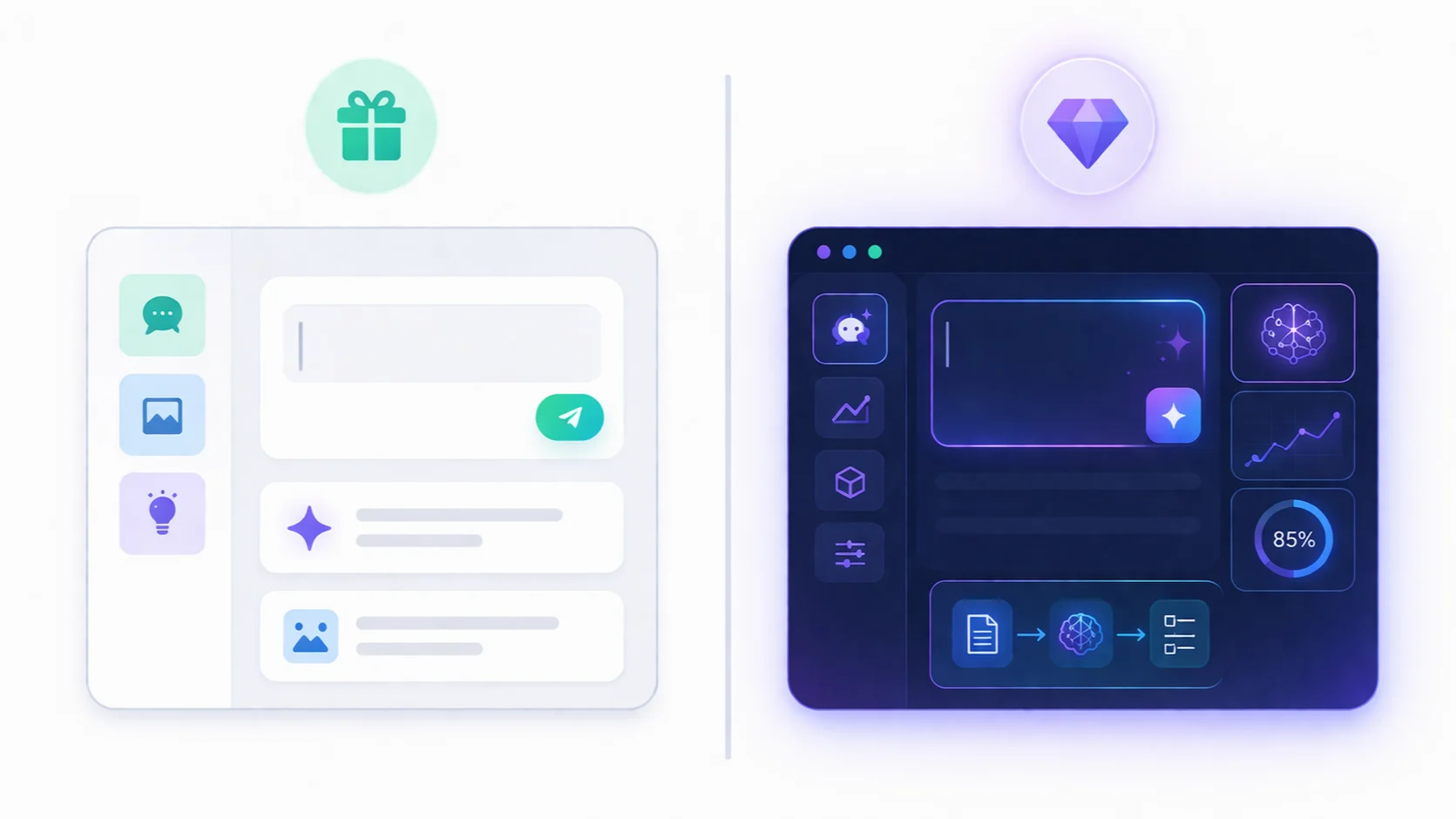

Free AI tools are powerful enough for most people—but paid AI tools unlock speed, advanced features, and scalability that free versions simply can’t match. The key isn’t choosing one over the other—it’s knowing when to use each.
Most people either overpay for AI… or never upgrade when they should.
They jump into paid tools too early and waste money. Or they stick with free tools too long and slow themselves down.
Both are mistakes.
The real advantage comes from understanding the difference between free and paid AI—and using each at the right stage.
Free tools are perfect for learning, experimenting, and handling basic tasks. But as your needs grow—more content, more automation, more speed—paid tools start to make sense.
In this guide, you’ll see exactly what you get with free vs paid AI tools, when free is enough, when to upgrade, and how to avoid wasting money on tools you don’t need.
Free vs Paid AI Tools (Quick Comparison)
If you just want the short answer, here’s the difference:
- Free AI tools = good for basic tasks and learning
- Paid AI tools = better for speed, scale, and advanced features
But the real difference becomes clear when you compare them side by side.
Cost
- Free: $0/month
- Paid: $10–$50+/month (depending on tool)
Free tools remove the barrier to entry. Paid tools require investment—but offer more value if used properly.
Features
- Free: Basic functionality (writing, summarizing, simple tasks)
- Paid: Advanced capabilities (longer outputs, better models, integrations)
Paid tools often unlock features that significantly improve output quality and flexibility.
Speed & Performance
- Free: Slower response times, usage limits
- Paid: Faster responses, priority access
This matters more as your workload increases.
Limits & Restrictions
- Free: Daily limits, capped usage, fewer options
- Paid: Higher limits, more control, fewer restrictions
Free tools are great—until you hit those limits.
Best Use Case
- Free: Beginners, students, casual users
- Paid: Creators, professionals, businesses
The key takeaway: free tools are enough to start—but paid tools are designed to scale.
What You Get with Free AI Tools
Free AI tools are more powerful than most people expect. In many cases, they can handle a large percentage of everyday tasks—especially if you know how to use them properly.
For beginners, they’re often more than enough.
Core Capabilities (What Free Tools Do Well)
Most free AI tools give you access to essential features:
- Writing and rewriting content
- Summarizing articles and documents
- Answering questions and explaining concepts
- Basic research and idea generation
These alone can replace multiple SaaS tools for simple use cases.
—
Perfect for Learning and Experimenting
If you’re new to AI, free tools are the best place to start.
- Test different use cases
- Learn prompt techniques
- Explore what AI can (and can’t) do
You don’t need to spend money to understand the value of AI.
—
Enough for Light and Casual Use
Free tools work well if your usage is limited.
- Occasional writing tasks
- Basic research
- Simple productivity improvements
For many users, this is all they need.
—
The Hidden Limitations
Free tools are powerful—but they come with constraints.
- Usage limits (messages, tokens, or features)
- Slower response times during peak usage
- Limited access to advanced models
- Fewer integrations and automation options
These limitations usually become noticeable as your usage increases.
—
Who Should Use Free AI Tools?
- Students and beginners
- Casual users
- People testing AI before committing
If you’re not using AI daily or at scale, free tools are often all you need.
Bottom line: Free AI tools are not “limited”—they’re just limited in scale. For many users, they deliver more value than expected without costing anything.
What You Get with Paid AI Tools
Paid AI tools are not just “better versions” of free tools—they unlock a different level of capability. The biggest difference isn’t access. It’s performance, scale, and efficiency.
If free tools help you get started, paid tools help you move faster and do more.
Access to More Advanced Models
One of the biggest upgrades is quality.
- More accurate outputs
- Better reasoning and understanding
- Higher-quality writing and responses
This becomes noticeable when working on complex tasks like long-form content or detailed analysis.
—
Faster Speed and Priority Access
Paid users typically get faster performance.
- Quicker response times
- Priority during high demand
- More consistent availability
This matters when you rely on AI daily.
—
Higher Limits and Fewer Restrictions
Free tools often limit how much you can use them.
- Message caps
- Shorter outputs
- Restricted features
Paid tools remove or significantly increase these limits.
This allows you to work without interruptions.
—
Advanced Features and Integrations
Paid plans often include features that free versions don’t offer:
- File uploads and deeper context handling
- Custom workflows and automation
- Integrations with other tools
This is where AI becomes part of a system—not just a standalone tool.
—
Better for Scaling Work
Paid AI tools are designed for people who use AI frequently.
- Content creators producing daily output
- Businesses automating workflows
- Professionals handling complex tasks
At this level, free tools become limiting.
—
Who Should Use Paid AI Tools?
- Frequent AI users
- Content creators and marketers
- Businesses and professionals
If you’re using AI occasionally, paid tools may not be necessary.
But if AI is part of your daily workflow, upgrading can save time, increase output, and improve overall results.
Bottom line: You don’t pay for access—you pay for speed, scale, and better outcomes.
When Free AI Tools Are Enough
Most people don’t need paid AI tools—at least not at the beginning. In many cases, free tools can handle everything you need if your usage is simple and occasional.
The key is knowing when “enough” is actually enough.
If You’re Just Getting Started
Free tools are ideal for beginners.
- Learning how AI works
- Testing different use cases
- Understanding what’s possible
You don’t need to pay to explore AI effectively.
—
If Your Usage Is Light
If you only use AI occasionally, free tools are more than sufficient.
- Writing short content
- Summarizing articles
- Answering questions
In this case, paying for more capacity doesn’t add much value.
—
If You Don’t Hit Limits
The biggest reason to upgrade is hitting limits.
- Message caps
- Restricted features
- Slower performance
If you’re not experiencing these issues, there’s no reason to upgrade yet.
—
If You’re Not Using AI Daily
Paid tools make sense when AI becomes part of your routine.
If you’re only using AI a few times per week, free tools will cover your needs.
—
If Cost Matters More Than Speed
Free tools trade speed and performance for zero cost.
If you’re okay with occasional delays or limitations, free tools offer excellent value.
—
Bottom line: Free AI tools are enough for learning, experimenting, and light usage. You only need to upgrade when limitations start slowing you down.
When You Should Upgrade to Paid AI
Upgrading to paid AI isn’t about getting more features—it’s about removing friction. The moment free tools start slowing you down, that’s when paid tools become worth it.
Here are the clear signs it’s time to upgrade:
When You Use AI Daily
If AI becomes part of your routine, free tools quickly feel limiting.
- Writing content every day
- Doing frequent research
- Using AI across multiple tasks
At this point, speed and consistency matter more than cost.
—
When You Hit Usage Limits
Free tools often restrict how much you can use them.
- Message caps
- Limited outputs
- Feature restrictions
If you constantly hit these limits, upgrading removes those interruptions.
—
When Time Becomes More Valuable Than Money
Paid tools don’t just save effort—they save time.
- Faster responses
- Better outputs (less editing)
- More efficient workflows
If AI helps you work faster, the cost often pays for itself.
—
When You Need Better Quality Outputs
Free tools are good—but paid tools are more reliable.
- Higher-quality writing
- Better reasoning and structure
- More accurate responses
This matters for professional or high-stakes work.
—
When You Start Scaling Work
If you’re producing more content or handling more tasks, free tools become a bottleneck.
- Content creators publishing regularly
- Businesses automating workflows
- Professionals handling complex tasks
Paid tools are built for scale.
—
The Simple Rule
Stay free until it slows you down. Upgrade when it starts costing you time.
This approach ensures you never overpay—and only invest when there’s clear value.
Real Examples: Free vs Paid Use Cases
Understanding the difference between free and paid AI becomes much clearer when you look at real use cases. Here’s how the choice plays out in everyday scenarios.
1. Writing Content
- Free: Generate short articles, emails, or ideas
- Paid: Create long-form content faster with better structure and quality
Example: A student writing an essay can rely on free tools. A content creator publishing daily will benefit from paid tools.
—
2. Research and Learning
- Free: Basic summaries and explanations
- Paid: Deeper analysis, better reasoning, and faster responses
Example: Casual learning works fine with free tools. Professionals doing in-depth research save time with paid versions.
—
3. Automation and Workflows
- Free: Manual usage (copy, paste, generate)
- Paid: Integrations, automation, and system-level workflows
Example: Occasional tasks can stay manual. Businesses benefit from automation to scale operations.
—
4. Design and Content Creation
- Free: Basic visuals and simple designs
- Paid: Higher quality outputs and more control
Example: Social media users can use free tools. Brands and marketers need more advanced capabilities.
—
5. Daily Productivity
- Free: Occasional help (emails, summaries)
- Paid: Continuous support across multiple tasks
Example: Light users don’t need to upgrade. Professionals using AI all day will feel the difference immediately.
—
The Pattern
Across all use cases, the pattern is the same:
- Free = enough for occasional and basic use
- Paid = better for speed, scale, and consistency
The decision isn’t about features—it’s about how often and how seriously you use AI.
Cost vs Value (Is Paid AI Worth It?)
The real question isn’t “Is paid AI expensive?”—it’s “Is it worth the value it provides?”
And that depends on how you use it.
The Cost Perspective
Most AI tools cost between $10 and $50 per month.
At first glance, that may seem unnecessary—especially when free options exist.
But cost alone doesn’t tell the full story.
—
The Value Perspective
Paid AI tools are designed to save time—and time has value.
- Write content faster
- Reduce manual work
- Automate repetitive tasks
If a tool saves you even 5–10 hours per month, the value often exceeds the cost.
—
Time vs Money Trade-Off
This is where the decision becomes clear:
- Free tools save money but cost time
- Paid tools cost money but save time
The more valuable your time becomes, the more paid tools make sense.
—
Who Gets the Most Value from Paid AI?
- Content creators producing regularly
- Freelancers and professionals
- Businesses scaling operations
For these users, AI is not just a tool—it’s a productivity multiplier.
—
When Paid AI Is NOT Worth It
Paid tools are not always the right choice.
- If you use AI occasionally
- If you’re still learning
- If you’re not hitting limitations
In these cases, free tools provide better value.
—
The Bottom Line
Paid AI is worth it when it saves more time than it costs.
If it helps you work faster, produce more, or reduce effort, the investment makes sense.
If not, free tools are still a powerful option.
Best Strategy: Free → Paid Upgrade Path
The smartest way to use AI tools isn’t choosing free or paid—it’s knowing when to move from one to the other.
Most people get this wrong. They either pay too early… or wait too long.
Here’s the optimal path:
Step 1: Start with Free Tools
In the beginning, your goal is simple: learn how AI works.
- Test different use cases
- Experiment with prompts
- Understand strengths and limitations
At this stage, free tools are more than enough.
—
Step 2: Identify Your Primary Use Case
Once you’re comfortable, focus on how you actually use AI.
- Writing content?
- Doing research?
- Automating tasks?
This helps you avoid paying for features you don’t need.
—
Step 3: Push Free Tools to Their Limits
Before upgrading, fully use what free tools offer.
- Hit usage limits
- Test performance boundaries
- Identify what slows you down
This step ensures you upgrade for the right reasons—not assumptions.
—
Step 4: Upgrade for a Specific Reason
Don’t upgrade “just because.” Upgrade when there’s a clear benefit.
- You need faster responses
- You require better output quality
- You’re hitting usage limits consistently
The upgrade should solve a real problem.
—
Step 5: Scale with Paid Tools
Once you upgrade, use paid tools to increase output and efficiency.
- Produce more content
- Automate workflows
- Handle more complex tasks
This is where AI becomes a productivity multiplier.
—
The Smart User Mindset
The goal isn’t to stay free or go fully paid—it’s to move between both strategically.
- Use free tools to learn and explore
- Use paid tools to scale and optimize
This approach ensures you never overpay—and always get maximum value from AI.
FAQ: Free vs Paid AI Tools
Are free AI tools good enough?
Yes, free AI tools are powerful enough for beginners and light users. They can handle writing, summarizing, and basic tasks effectively, but may have limitations in speed and usage.
Is paid AI worth it?
Paid AI is worth it if you use AI frequently or rely on it for work. It offers better performance, higher limits, and more advanced features that can save time and improve results.
What’s the difference between free and paid AI tools?
Free tools provide basic functionality with limits, while paid tools offer faster performance, better output quality, and advanced features like integrations and automation.
When should I upgrade to paid AI tools?
You should upgrade when free tools start slowing you down—such as hitting usage limits, needing better output quality, or using AI daily for important tasks.
What are the best free AI tools?
Many popular AI tools offer free versions with strong capabilities. These are ideal for learning, experimenting, and handling simple tasks before upgrading.