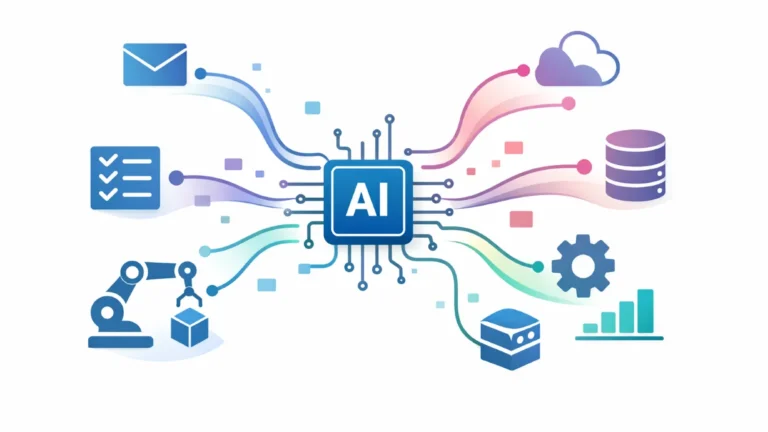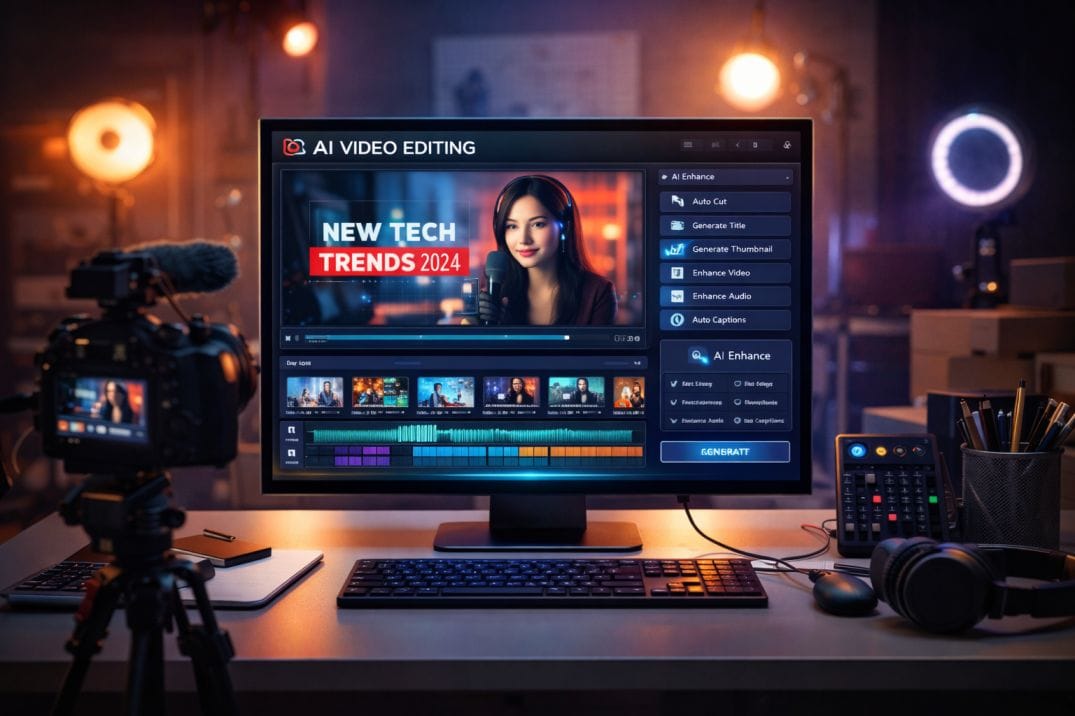

AI tools for YouTubers can help you script, edit, design thumbnails, and grow your channel faster—without spending hours on each video. In 2026, successful creators are not just working harder—they’re building AI-powered workflows.
Most YouTubers struggle with the same problems.
Coming up with ideas. Writing scripts. Editing videos. Designing thumbnails. Optimizing for SEO.
It takes time—and slows growth.
AI changes that.
With the right tools, you can generate scripts in minutes, edit videos faster, create high-converting thumbnails, and optimize your content for more views.
This isn’t about replacing creativity—it’s about scaling it.
In this updated guide, you’ll discover the best AI tools for YouTubers in 2026—organized by real use cases like scripting, editing, thumbnails, voiceovers, and SEO—plus how to combine them into a complete YouTube growth system.
What Are AI Tools for YouTubers?
AI tools for YouTubers are software applications powered by artificial intelligence that help creators automate and improve different parts of video production—such as scripting, editing, thumbnail creation, voiceovers, and SEO optimization.
Instead of handling every step manually, creators can use AI to speed up the entire workflow—from idea generation to publishing.
What AI Tools Actually Do
Modern AI tools support every stage of YouTube content creation:
- Script writing: Generate video ideas, outlines, and full scripts
- Video editing: Cut clips, remove filler words, add captions
- Thumbnail design: Create eye-catching visuals for higher CTR
- Voiceovers: Generate realistic narration
- SEO optimization: Improve titles, tags, and discoverability
Each tool solves a specific problem—but together, they form a complete YouTube system.
Examples of Popular AI Tools
- Pictory → text-to-video creation
- Descript → AI video and audio editing
- VidIQ → YouTube SEO and analytics
- ElevenLabs → AI voice generation
These tools don’t replace creators—they remove repetitive work so you can focus on content and storytelling.
The Real Advantage
The biggest benefit of AI tools for YouTubers is speed and scalability.
- Create videos faster
- Improve video quality
- Increase consistency
- Scale content production
This allows creators to grow their channels more efficiently.
Why YouTubers Are Using AI
YouTube is more competitive than ever. With millions of videos uploaded daily, creators need to produce high-quality content faster to stand out.
AI is changing how creators grow on the platform.
Content Demand Is Increasing
To grow on YouTube, consistency is key.
- More uploads = more visibility
- More videos = more chances to go viral
But creating videos manually takes time.
AI helps creators produce content more consistently without burnout.
—
Speed Is a Growth Advantage
On YouTube, speed matters.
- Faster content creation → more uploads
- More uploads → more views
- More views → faster growth
Creators using AI can move faster than those who don’t.
—
Improving Video Quality
AI tools enhance production quality:
- Clean editing
- Auto captions
- Better visuals
This leads to more professional content—even for beginners.
—
Optimizing for YouTube Algorithm
YouTube growth depends on key metrics:
- Click-through rate (CTR)
- Watch time
- Retention
AI tools help optimize:
- Titles and thumbnails (higher CTR)
- Editing and pacing (better retention)
- Keywords and tags (more discoverability)
This directly impacts channel growth.
—
Enabling Faceless Channels
AI has made faceless YouTube channels easier to build.
- Script generation
- AI voiceovers
- Automated video creation
This lowers the barrier to entry for new creators.
—
The Real Shift: Creator Leverage
AI gives YouTubers leverage.
- More content with less effort
- Higher quality without big teams
- Faster growth with better systems
Creators who use AI effectively don’t just upload more—they grow faster.
10 Best AI Tools for YouTubers (By Use Case)
Not all AI tools for YouTubers serve the same purpose. The best tools are designed for specific parts of the video creation process—scripting, editing, thumbnails, voiceovers, and growth.
1. ChatGPT – Script Writing & Video Ideas
Best for: Video ideas, scripts, outlines
ChatGPT helps creators generate video ideas, write full scripts, and structure content quickly.
Why it stands out: Fast, flexible, and useful for any niche.
—
2. Pictory – Text-to-Video Creation
Best for: Faceless YouTube channels
Pictory turns scripts or blog posts into videos with visuals, captions, and music.
Why it stands out: Ideal for automated video creation.
—
3. Descript – AI Video & Audio Editing
Best for: Editing talking-head videos and podcasts
Descript allows creators to edit videos by editing text, remove filler words, and enhance audio.
Why it stands out: Unique text-based editing workflow.
—
4. Runway ML – Advanced Video Editing & Effects
Best for: Creative and cinematic content
Runway ML offers AI-powered video editing tools like background removal and visual effects.
Why it stands out: Advanced editing capabilities without complex software.
—
5. Canva AI – Thumbnails & Channel Design
Best for: Thumbnails, banners, and visuals
Canva AI helps creators design eye-catching thumbnails that improve click-through rates.
Why it stands out: Easy-to-use with powerful design templates.
—
6. VidIQ – YouTube SEO & Growth
Best for: Keyword research and optimization
VidIQ helps creators find trending topics, optimize titles, and improve discoverability.
Why it stands out: Focused on YouTube growth.
—
7. TubeBuddy – Channel Management & Optimization
Best for: Productivity and bulk optimization
TubeBuddy offers A/B testing, tag suggestions, and automation tools inside YouTube Studio.
Why it stands out: Saves time managing large channels.
—
8. ElevenLabs – AI Voiceovers
Best for: Narration and faceless videos
ElevenLabs generates realistic voiceovers in multiple languages.
Why it stands out: High-quality, natural-sounding voices.
—
9. CapCut AI – Short-Form Video Editing
Best for: YouTube Shorts and reels
CapCut uses AI to edit videos quickly, add captions, and create engaging short-form content.
Why it stands out: Optimized for viral short videos.
—
10. Opus Clip – Long Video to Shorts
Best for: Repurposing content
Opus Clip automatically converts long videos into short clips optimized for engagement.
Why it stands out: Helps maximize content reach.
—
Pro tip: You don’t need all these tools. Choose 2–4 tools based on your workflow—script, edit, thumbnail, or SEO—and build from there.
Best AI YouTube Workflow (System)
Using individual AI tools is helpful—but combining them into a structured workflow is what actually drives channel growth.
The most successful YouTubers don’t just use tools. They build AI-powered content systems.
Minimal YouTube Stack (Best for Beginners)
- ChatGPT → video ideas and scripts
- Canva AI → thumbnails and visuals
This simple setup is enough to start creating content quickly.
—
Content Creator Stack (Full Video Workflow)
- ChatGPT → script writing
- Descript → video and audio editing
- Canva AI → thumbnails
- VidIQ → SEO optimization
This stack covers the entire YouTube creation process.
—
Faceless Channel Stack
- ChatGPT → generate scripts
- Pictory → convert scripts into videos
- ElevenLabs → AI voiceovers
- Canva AI → thumbnails
This setup allows creators to build channels without appearing on camera.
—
Growth & Scaling Stack
- ChatGPT → content ideas and scripts
- CapCut → edit short-form videos
- Opus Clip → repurpose long videos into shorts
- TubeBuddy → optimize and test performance
This stack helps creators scale content and maximize reach.
—
Example YouTube Workflow (Real Use Case)
Here’s how an AI-powered YouTube workflow looks:
- Use ChatGPT → generate video idea and script
- Use Descript → edit video and audio
- Use Canva AI → create thumbnail
- Use VidIQ → optimize title, tags, SEO
- Use Opus Clip → create shorts for distribution
This turns content creation into a repeatable system.
—
Keep Your Workflow Simple
The biggest mistake creators make is overcomplicating their setup.
- Too many tools = slower workflow
- Too many steps = inconsistency
Start with 2–3 tools, build a repeatable process, and scale from there.
A simple system executed consistently will outperform a complex one.
How AI Helps You Grow on YouTube
The biggest benefit of using AI tools isn’t just saving time—it’s accelerating channel growth.
AI directly impacts the key metrics that determine success on YouTube.
Increasing Click-Through Rate (CTR)
CTR depends on thumbnails and titles.
- Eye-catching thumbnails → more clicks
- Optimized titles → better visibility
AI tools help improve both:
- Canva AI → create high-converting thumbnails
- VidIQ → optimize titles and keywords
Result: More people click your videos.
—
Improving Watch Time & Retention
YouTube prioritizes videos that keep viewers watching.
- Better editing → higher retention
- Clear structure → longer watch time
AI tools help with this:
- Descript → remove filler words and improve pacing
- CapCut → create engaging edits and captions
Result: Viewers stay longer on your videos.
—
Producing More Content Consistently
Consistency is one of the most important growth factors.
- More videos → more opportunities to grow
AI speeds up production:
- ChatGPT → generate scripts quickly
- Pictory → turn scripts into videos
Result: More uploads without burnout.
—
Optimizing for YouTube SEO
Discoverability is key to growth.
- Keywords
- Tags
- Trends
AI tools like VidIQ and TubeBuddy help identify what works.
Result: More impressions and traffic.
—
Repurposing Content for More Reach
Smart creators don’t rely on one video—they multiply content.
- Long videos → short clips
- One idea → multiple formats
AI tools help:
- Opus Clip → convert videos into shorts
- CapCut → edit viral short content
Result: More reach from the same content.
—
The Growth Formula
AI helps you improve the three core YouTube metrics:
- CTR → better thumbnails and titles
- Retention → better editing and pacing
- Consistency → faster content production
When these improve, your channel grows faster.
How to Choose the Right AI Tools for YouTube
With so many AI tools available, the challenge isn’t finding tools—it’s choosing the right ones for your specific content style and growth goals.
The best approach is simple: match tools to your workflow and channel type.
Start With Your Content Type
Different YouTube channels require different tools:
- Talking-head videos → Descript, CapCut
- Faceless channels → Pictory, ElevenLabs
- Educational content → ChatGPT, Descript
- Short-form content → CapCut, Opus Clip
Choose tools that support how you create content.
—
Identify Your Biggest Bottleneck
Ask yourself: what slows you down the most?
- Coming up with ideas → ChatGPT
- Editing videos → Descript, CapCut
- Creating thumbnails → Canva AI
- Growing your channel → VidIQ, TubeBuddy
Fix your biggest bottleneck first for maximum impact.
—
Consider Your Experience Level
Some tools are beginner-friendly, while others require more experience.
- Beginner: Canva AI, Pictory, ChatGPT
- Intermediate: Descript, VidIQ
- Advanced: Runway ML
Choose tools that match your skill level.
—
Focus on Workflow Integration
Tools are more powerful when they work together.
- Script → Edit → Thumbnail → SEO → Publish
Choose tools that fit into a smooth workflow instead of isolated tools.
—
Free vs Paid Tools
Not every creator needs paid tools.
- Free tools → good for beginners
- Paid tools → better for scaling and efficiency
Upgrade only when your growth requires it.
—
Keep It Simple
More tools don’t mean better results.
- Too many tools = slower workflow
- Too many features = confusion
The best tools are the ones you use consistently.
—
Test Before You Commit
Most AI tools offer free plans or trials.
- Try multiple tools
- Compare results
- Keep what works best
Don’t choose based on popularity—choose based on performance.
—
Bottom line: The right AI tools for YouTube are not the most powerful—they’re the ones that help you create better videos faster and grow your channel efficiently.
Common Mistakes YouTubers Make with AI Tools
AI tools can significantly improve your YouTube workflow—but using them incorrectly can slow your growth, reduce video quality, and hurt engagement.
Many creators make the same mistakes when starting with AI.
Avoiding these will help you grow faster and create better content.
1. Relying Too Much on AI
AI can generate scripts, edits, and ideas—but blindly using it leads to generic content.
- No personality
- No storytelling
- No uniqueness
This issue is hinted in your original article 0, but becomes more important as AI content increases.
Fix: Use AI for speed—but always add your own voice and style.
—
2. Ignoring YouTube Fundamentals
AI tools don’t replace core YouTube principles.
- Weak hooks
- Poor storytelling
- Low retention
Fix: Focus on storytelling, pacing, and audience engagement.
—
3. Using Too Many Tools at Once
More tools don’t mean better results.
- Complex workflows
- Time wasted switching tools
Fix: Start with 2–3 tools and build a simple system.
—
4. Not Optimizing Thumbnails and Titles
Many creators focus on content—but ignore packaging.
- Low CTR
- Poor discoverability
Fix: Use Canva AI and VidIQ to improve thumbnails and titles.
—
5. Skipping SEO Optimization
YouTube is a search engine.
- No keyword research
- No tag optimization
Fix: Use tools like VidIQ and TubeBuddy to optimize videos.
—
6. Not Building a Workflow
Using AI tools randomly creates inefficiency.
- No structure
- Repeated manual work
Fix: Build a system:
- Idea → Script → Edit → Thumbnail → Optimize → Publish
This is where AI becomes powerful.
—
7. Expecting Instant Growth
AI speeds up production—but growth still takes time.
- Requires consistency
- Requires testing
Fix: Combine AI with consistency and long-term strategy.
—
Bottom line: AI tools don’t guarantee success—the creators who win are those who combine AI efficiency with strong content, storytelling, and consistency.
FAQ: AI Tools for YouTubers
What are the best AI tools for YouTubers?
The best AI tools for YouTubers include ChatGPT for scripting, Descript for editing, Canva AI for thumbnails, VidIQ for SEO, and ElevenLabs for voiceovers.
Can AI grow a YouTube channel?
Yes. AI tools help improve content quality, increase consistency, optimize SEO, and enhance thumbnails—all of which contribute to channel growth.
Which AI tool is best for faceless YouTube channels?
Pictory, ElevenLabs, and ChatGPT are excellent tools for faceless channels, helping with script generation, voiceovers, and video creation.
Are AI-generated videos allowed on YouTube?
Yes, as long as the content follows YouTube’s guidelines, is original, and does not violate copyright or spam policies.
Do I need paid AI tools for YouTube?
No. Free tools are enough for beginners. Paid tools become useful when scaling content production and improving efficiency.