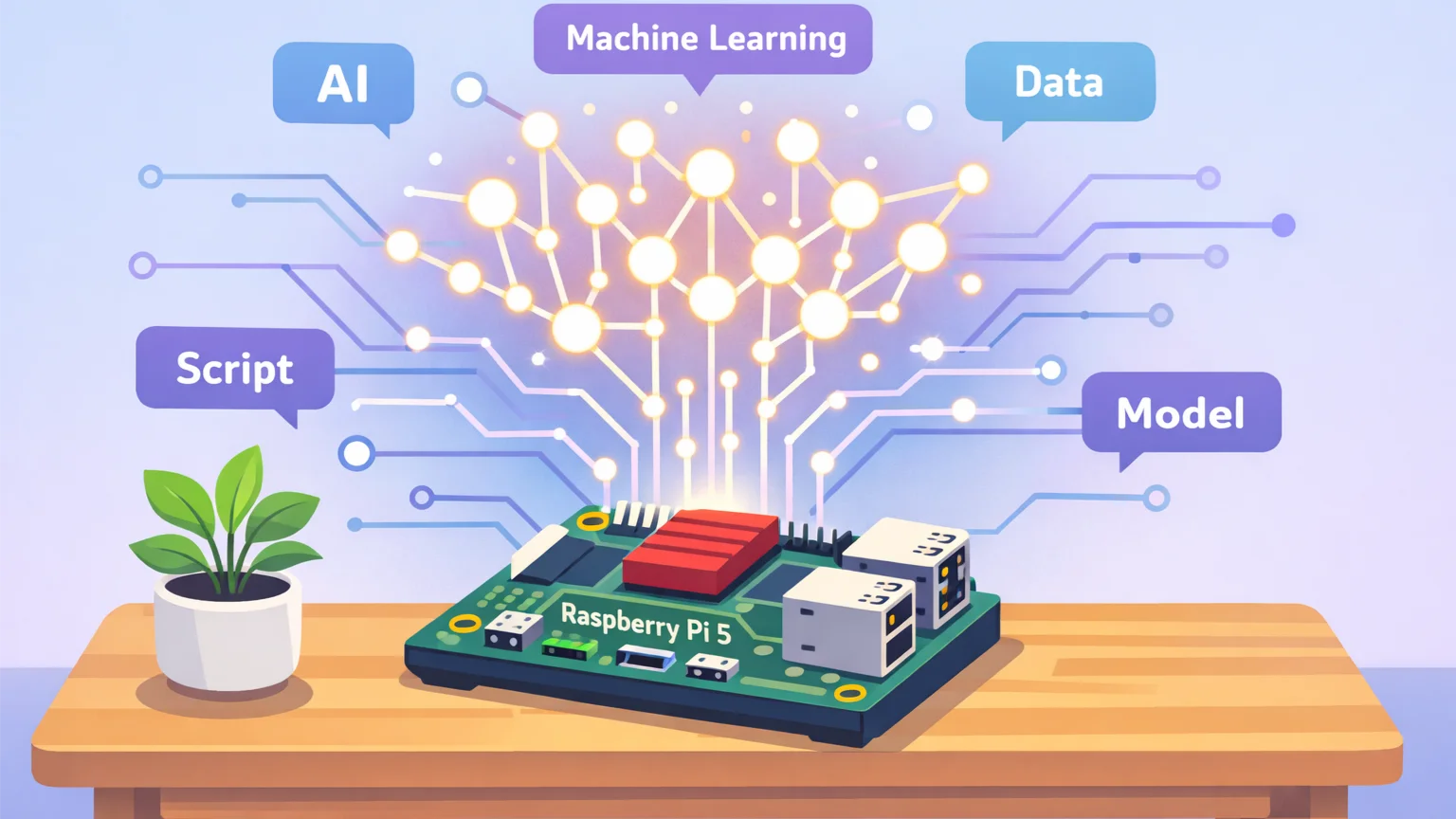

Deploying large language models (LLMs) locally has become increasingly accessible thanks to affordable single-board computers like the LLMs Locally on Raspberry Pi. While cloud-based AI services dominate the market, running LLMs locally offers privacy, cost control, and offline capabilities that many users and organizations need. This comprehensive local LLM deployment guide for Raspberry Pi walks you through the entire process—from hardware selection to optimized inference—enabling you to run powerful language models right on your desk.
Why Run LLMs Locally on Raspberry Pi?
Before diving into technical steps, understanding the advantages of local deployment clarifies why this approach matters. A LLMs Locally on Raspberry Pi setup provides complete data sovereignty—your prompts and generated responses never leave your device. This eliminates privacy concerns and subscription costs, making it ideal for hobbyists, educators, and businesses handling sensitive information.
Additionally, local inference removes internet dependency. Whether you’re building offline kiosks, embedded applications, or simply want reliable access without network latency, LLMs Locally on Raspberry Pi inference delivers consistent performance. The ecosystem has matured: modern quantized models now fit within the Pi’s memory constraints while maintaining useful output quality.
Hardware Requirements for LLMs Locally on Raspberry Pi
Not all Raspberry Pi models equally handle LLM workloads. The compute demands of transformer architectures require careful hardware planning. For acceptable inference speeds (under 10 seconds per response), prioritize these specifications:
Raspberry Pi Model Selection
The Raspberry Pi 4 (4GB RAM) represents the minimum viable configuration, but the Raspberry Pi 5 with 8GB RAM provides substantially better performance. The Pi 5’s 2.4GHz quad-core ARM Cortex-A76 CPU and VideoCore VII GPU offer approximately 2-3x speed improvements over Pi 4 for matrix operations critical to LLM inference.
If power consumption isn’t a primary concern, consider used Intel NUC mini-PCs or the more powerful Orange Pi 5 Plus, which can run larger 7B parameter models at usable speeds. However, for pure Raspberry Pi compatibility, the Pi 5 strikes the best balance.
Storage and Memory Considerations
Model files range from 500MB (tiny 1.1B parameter models) to 4GB+ (7B parameter models). Use a high-speed microSD card (A2-rated) or, preferably, a USB 3.0 SSD for faster model loading and swap performance. Ensure at least 16GB free space for models, system files, and temporary workspace.
RAM is the primary bottleneck. Quantized models in 4-bit or 8-bit GGUF format reduce memory footprint significantly. A 7B 4-bit model requires ~4GB RAM, fitting a Pi 5 with 8GB while leaving room for the OS. For 4GB Pi 4, target 3B parameter models or smaller.
Software Stack: Choosing the Right LLM Runtime
Multiple inference engines target ARM Linux. The optimal choice depends on your performance needs and technical comfort.
llama.cpp: The Recommended Starting Point
llama.cpp dominates ARM-based LLM deployment. Its C++ implementation achieves near-optimal performance on Raspberry Pi’s ARMv8-A architecture. The project supports GGUF-quantized models from Hugging Face and offers straightforward compilation with optimizations specific to the Pi’s CPU.
Key advantages include: minimal dependencies, BLAS library support (OpenBLAS or Intel oneDNN via ARM’s Compute Library), and extensive community tutorials. For Raspberry Pi, compile with -march=armv8-a and enable threading for multi-core utilization. The result: 2-4 tokens/second throughput on Pi 5 with a 3B model.
Alternative Runtimes: Ollama and Hugging Face Transformers
Ollama simplifies deployment with its Model Zoo and containerized approach. While not officially supporting ARMv7/8 (Raspberry Pi), community ports exist and provide convenient CLI interfaces. However, performance lags behind llama.cpp due to additional abstraction layers.
For Python-centric workflows, Hugging Face’s Transformers library combined with Optimum for ONNX Runtime offers another path. This approach works well for smaller models (under 1B parameters) but struggles with larger quantized models on restricted memory.
Step-by-Step: Installing and Configuring llama.cpp on Raspberry Pi OS
This local LLM deployment guide for Raspberry Pi assumes Raspberry Pi OS (64-bit) on a Pi 4/5. Begin by updating the system and installing build dependencies:
sudo apt update && sudo apt upgrade -y
sudo apt install cmake build-essential git python3 python3-pip -y
sudo apt install libopenblas-dev libblas-dev liblapack-dev -y
Clone and build llama.cpp with ARM optimizations:
git clone https://github.com/ggerganov/llama.cpp
cd llama.cpp
make -j4 LLAMA_ARM=1
The -j4 flag parallelizes compilation across all CPU cores. Build time ranges from 20-60 minutes depending on Pi model and SD card speed. Once complete, you’ll have a main executable ready to load GGUF models.
Downloading and Selecting the Right Model
Model selection dramatically impacts performance. The Hugging Face TheBloke repository hosts quantized versions of popular LLMs in GGUF format. For Raspberry Pi, these models provide the best memory-accuracy trade-offs:
- Llama-3.2-1B-Instruct-GGUF: 600MB, decent response quality, runs on all Pi models
- Phi-2-GGUF: 1.7GB, excellent reasoning for its size, suitable for Pi 4/5
- Starling-7B-alpha-GGUF (Q4_K_M): 4GB, high quality but requires Pi 5 with 8GB RAM
Download your chosen model directly to the llama.cpp models directory:
cd llama.cpp
mkdir -p models
cd models
wget https://huggingface.co/TheBloke/phi-2-GGUF/resolve/main/phi-2.Q4_K_M.gguf
The Q4_K_M quantization offers the best balance for Raspberry Pi’s modest compute—sufficiently small to fit in memory while preserving meaningful model capabilities.
Running Your First LLM Inference
With the model downloaded, test the setup using llama.cpp’s chat interface:
cd /path/to/llama.cpp
./main -m models/phi-2.Q4_K_M.gguf -p "Explain quantum computing in simple terms" -n 256 --threads 4
Key parameters to optimize:
-n: Maximum tokens to generate (set to 256-512 for responsiveness)--threads: Match to your Pi’s core count (Pi 5 uses 4, Pi 4 uses 2-4)-e: Interactive chat mode for repeated queries
Initial runs are slow as the model loads into RAM and the CPU cache warms. Subsequent prompts process faster. Expect 1-3 tokens/second on Pi 4 and 3-6 tokens/second on Pi 5 with a 3B model. While slower than cloud APIs, this throughput suffices for non-time-critical applications.
Optimizing Performance: Advanced Configuration
Several tweaks enhance LLMs Locally on Raspberry Pi performance beyond basic setup.
BLAS Library Optimization
llama.cpp can leverage OpenBLAS for faster matrix multiplication. When compiling, ensure OpenBLAS is detected. Verify with:
ldd main | grep openblasIf linked, you’ve gained hardware-accelerated linear algebra. Performance gains range from 20-50% depending on model size.
GPU Acceleration Options
Raspberry Pi’s VideoCore VI/ VII GPU lacks mature LLM acceleration tools. However, projects like llama2.c explore GPU offloading. Currently, CPU inference remains the most stable path. The Pi 5’s improved memory bandwidth yields noticeable speedups even without GPU compute.
Model Quantization Trade-offs
GGUF quantization levels (Q4_K_M, Q5_K_M, Q8_0) balance size vs. quality. For Raspberry Pi, Q4_K_M is the practical limit; Q5_K_M provides marginal quality gains at 25% larger file size, while Q8_0 approaches full-precision memory requirements and often exceeds available RAM. Test multiple quantizations with your target model to find the sweet spot.
Building Persistent Services and APIs
For production deployment, wrap llama.cpp in a Python Flask or FastAPI server to expose HTTP endpoints. This enables integration with web apps, mobile clients, or automation scripts. Sample architecture:
# Minimal Flask wrapper
from flask import Flask, request, jsonify
import subprocess

app = Flask(__name__)

@app.route('/generate', methods=['POST'])
def generate():
    prompt = request.json.get('prompt')
    result = subprocess.run(
        ['./main', '-m', 'models/phi-2.Q4_K_M.gguf', '-p', prompt, '-n', '256', '--threads', '4'],
        capture_output=True, text=True
    )
    return jsonify({'response': result.stdout})

if __name__ == '__main__':
    app.run(host='0.0.0.0', port=5000)
For production use, add request queuing, token streaming, and systemd service unit to auto-start on boot. Consider llama.cpp’s server mode for a more robust solution with WebSocket support.
Limitations and Realistic Expectations
LLMs Locally on Raspberry Pi deployment has inherent constraints. Throughput remains the primary bottleneck—don’t expect real-time conversational speeds comparable to cloud APIs. The Pi 5 with a 3B model achieves 3-6 tokens/second; a 7B model may drop below 2 tokens/second.
Context length also matters. While llama.cpp supports up to 4K tokens, larger contexts slow inference quadratically. For chat applications, restrict conversation history to the most recent 10-15 exchanges. Memory limitations may force smaller context windows (512-1024 tokens) on Pi 4.
Finally, model quality trails behind GPT-4 or Claude. Quantized small models hallucinate more frequently and lack the breadth of knowledge found in 70B+ parameter models. Expect capable but imperfect performance—suitable for experimentation, specific narrow tasks, and privacy-sensitive workflows, but not mission-critical production without extensive evaluation.
Conclusion
Running LLMs locally on Raspberry Pi democratizes AI experimentation and addresses privacy concerns that cloud services cannot. This local LLM deployment guide for Raspberry Pi covered hardware selection, llama.cpp installation, model optimization, and service integration. While performance won’t match cloud equivalents, the trade-offs—complete data control, zero usage costs, and offline operation—make LLMs Locally on Raspberry Pi inference a valuable addition to any tech enthusiast’s toolkit.
Frequently Asked Questions
Can LLMs Locally on Raspberry Pi?
The Pi 3’s 1GB RAM and older CPU make LLM deployment impractical. Even tiny models exceed memory limits, and inference speeds would be unusably slow. Upgrade to at least Pi 4 for viable results.
What’s the largest model that runs on Raspberry Pi 5?
With 8GB RAM, Pi 5 handles 7B parameter models in 4-bit quantization (~4GB). For comfortable operation with OS overhead, 3B-4B models (2-3GB) provide the best user experience.
Do I need a heat sink or fan?
Yes. Sustained LLM inference loads the CPU to 100%. Without active cooling, thermal throttling reduces performance by 30-50%. Use the official Raspberry Pi 5 fan or a substantial passive heatsink.
Can I fine-tune models on Raspberry Pi?
Training is infeasible—fine-tuning requires GPU acceleration and far more compute than Pi offers. Use cloud resources for training, then deploy the fine-tuned quantized model on Pi for inference.
How do I update the model?
Download a new GGUF file to the models directory, update your script or service to point to the new file, and restart. Maintain the old model temporarily to verify performance before removing previous versions.
References
For further reading, consult these official sources:
- llama.cpp GitHub Repository – Primary inference engine documentation and build instructions
- Hugging Face Documentation – Model formats, quantization, and GGUF specifications