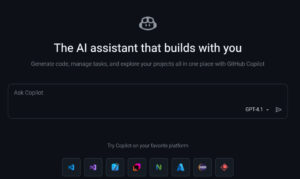
GitHub Copilot is an advanced AI-powered coding assistant designed to help developers write better code faster. Built by GitHub in collaboration with OpenAI, Copilot uses artificial intelligence to suggest entire lines of code, complete functions, and even generate complex logic based on natural language prompts. It works seamlessly inside popular code editors like Visual Studio Code, JetBrains IDEs, and Neovim, making it one of the most powerful productivity tools for modern developers.
Whether you are a beginner learning to code or an experienced software engineer working on large-scale projects, GitHub Copilot acts as a real-time coding partner. It reduces repetitive tasks, minimizes errors, and helps developers stay focused on problem-solving instead of syntax. With continuous improvements and deep integration into GitHub’s ecosystem, Copilot is redefining how software is built.
What is GitHub Copilot?
GitHub Copilot is an AI-powered code completion and suggestion tool trained on billions of lines of public code. It uses advanced machine learning models to understand context, comments, and existing code to generate accurate and relevant suggestions in real time.
Developers can simply write a comment describing what they want, and Copilot will attempt to generate the corresponding code. It supports dozens of programming languages, including Python, JavaScript, TypeScript, Java, C++, Go, PHP, and more.
Unlike traditional autocomplete tools, Copilot understands intent and logic, making it more like an intelligent coding partner rather than a simple suggestion engine.
Is GitHub Copilot Worth Using?
Yes, GitHub Copilot is absolutely worth using for developers who want to improve productivity and reduce repetitive coding tasks. While it does not replace human logic or architectural decision-making, it serves as an excellent assistant that accelerates development workflows.
For beginners, Copilot can act as a learning aid by showing real-world coding examples. For professionals, it helps maintain focus and speed during development. When used responsibly, it becomes a powerful productivity multiplier.
Final Verdict
GitHub Copilot is one of the most powerful AI coding tools available today. With strong IDE integration, intelligent suggestions, and continuous improvements, it stands out as a must-have assistant for modern developers. Whether you’re building websites, applications, or complex systems, Copilot can significantly reduce development time and enhance code quality.
If you are serious about coding efficiency and innovation, GitHub Copilot is definitely worth trying.